
Search Tennessee LLC, Corporation & Business Records
The Tennessee Secretary of State provides a public Business Entity Search for LLCs, corporations, nonprofits, partnerships and other registered entities. The main lookup supports searches by business name or Secretary of State control number.
Search first, save the control number, then use TNCaB only when you need to file an annual report, order a certificate or complete another account-based business filing.
Fast answer: use the official Tennessee Business Entity Search and enter the business name or Secretary of State control number. For most searches, the shortest distinctive part of the business name is the best starting point.
Exact-record shortcut: once you find the right entity, save its control number. That number is the safest reference for annual reports, certificates, copies, amendments and support questions.
Separate search from filing: TNBear is the public business-information lookup. TNCaB is the state’s account-based portal for annual reports, certificates and business filings.
How to Search Tennessee Business Records
The public lookup is straightforward. The main mistake is entering too much information or restricting the results to active entities too early.
- Open the official Tennessee Business Entity Search.
- Search by business name or Secretary of State control number.
- If searching by name, enter the distinctive part first.
- Remove LLC, Inc., Corporation, Company and punctuation if the first search fails.
- Do not limit the search to active records if you are researching an older entity.
- Open the matching result and save its control number.
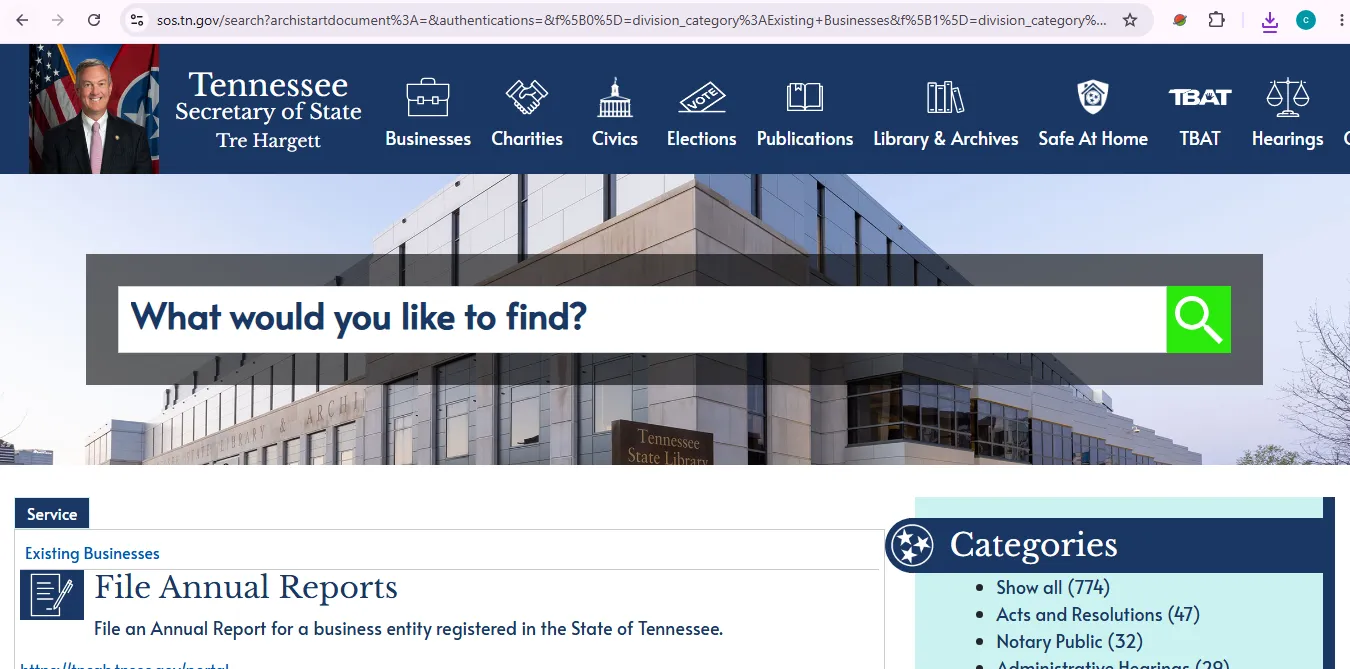
Image description: this visual helps users identify the Tennessee business search area used for business-name and Secretary of State control-number lookup. It is a navigation reference and does not imply that this website is an official Tennessee government website.
What to Check on a Tennessee Business Record
Entity identity
- Legal business name
- Secretary of State control number
- Entity type
- Formation state or jurisdiction
- Initial filing date
- Current entity status
Addresses and filings
- Principal office information
- Mailing address
- Registered agent
- Registered office
- Fiscal-year information where shown
- Assumed names and filing history
Verification habit: save the legal name, control number, entity type, status and search date before ordering documents or filing anything.
Tennessee Business Name Search Before Formation
A public entity search is a useful screening step, but it is not the final legal determination that a proposed name will be accepted.
- Search the exact name first.
- Search the distinctive words without LLC, Inc. or Corporation.
- Try singular, plural and common spelling variations.
- Review active and inactive records with similar names.
- Use the official filing process for final state acceptance.
The current Tennessee forms-and-fees schedule lists a $20 Application for Name Reservation for corporations and LLCs.
Tennessee Annual Report Deadlines & Fees
Tennessee annual reports are generally due on or before the first day of the fourth month following the close of the entity’s fiscal year. For a calendar-year entity, that normally means April 1.
| Entity type | Due-date rule | Current filing fee | Important detail |
|---|---|---|---|
| Corporation | 1st day of the 4th month after fiscal year end | $20 | A registered agent / registered office change on the report can require an additional $20. |
| LLC | 1st day of the 4th month after fiscal year end | $50 per member; $300 minimum and $3,000 maximum | The minimum $300 covers LLCs with up to six members; the amount increases with additional members. |
Open TNCaB for Tennessee annual reports.
- Search the business and confirm its control number.
- Check the fiscal year and entity type.
- Open TNCaB and sign in or create an account.
- Choose the annual-report service for the correct entity.
- Review registered agent, office and officer/member information.
- Confirm the calculated fee before payment.
Certificate of Existence & Business Document Copies
A Tennessee Certificate of Existence is official proof that the Secretary of State considers the entity active and in good standing.
| Service | Current listed fee | When to use it |
|---|---|---|
| Certificate of Existence / Authorization | $20 | Banks, lenders, contracts, licensing applications or other situations requiring formal good-standing proof. |
| Request for Copy of Documents | $20* | Obtaining copies of filed business documents. The current SOS fee schedule includes an asterisk, so confirm the final charge for the specific request. |
- Search the entity and save its control number.
- Confirm that the legal name and status match the intended company.
- Resolve any tax-clearance issue if required.
- Open TNCaB and select the certificate service.
- Order only the document the receiving party actually requires.
For a copy request, Tennessee says to have the SOS control number, legal business name, desired documents and requester contact information ready.
Tennessee Assumed Names: The State Does Not Call Them DBAs
Tennessee uses the term assumed name. The Secretary of State specifically says Tennessee does not recognize “DBA” or “fictitious name” as the formal filing terminology.
What an assumed name is
An assumed name is a name other than the entity’s true legal name under which it conducts business.
How long it lasts
Tennessee states that an assumed-name registration is valid for five years and can be renewed.
The current forms-and-fees schedule lists the Application for Registration of Assumed Name at $20 for common corporations and LLCs.
Tennessee Registered-Agent Rules
Tennessee requires business entities other than general partnerships to maintain a registered agent and registered office in the state.
A registered agent is the person or company that agrees to receive legal mail for the entity. The registered agent is not automatically the owner, manager or operating location.
The current fee schedule lists a $20 Statement of Change of Registered Agent/Office for common corporation and LLC filings.
Why a Tennessee Business May Show as Inactive
Tennessee states that an entity that fails to file its annual report on time may be administratively dissolved and placed in inactive status.
Administrative dissolution can also result from other compliance failures, including not maintaining a registered agent, certain foreign-entity assumed-name issues or a returned payment.
- Open the entity’s filing history.
- Check for missing annual reports.
- Verify the registered agent and registered office.
- Confirm whether tax clearance is required.
- Review reinstatement requirements before creating a replacement business.
The current forms-and-fees schedule lists an Application for Reinstatement Following Administrative Dissolution/Revocation at $70. Delinquent reports, taxes or other requirements may still have to be resolved.
Common Tennessee Business Entity Fees
| Service or filing | Current listed fee | Practical note |
|---|---|---|
| Business Entity Search | Public lookup | Search before paying a third party for basic entity information. |
| Domestic for-profit corporation charter | $100 | Formation filing for a Tennessee for-profit corporation. |
| Domestic LLC Articles of Organization | $50 per member; $300 minimum and $3,000 maximum | The SOS fee schedule displays $300* because the member-based calculation applies. |
| Corporation annual report | $20 | An agent/office change on the report can add $20. |
| LLC annual report | $50 per member; $300 minimum and $3,000 maximum | Confirm member count before paying. |
| Name reservation | $20 | Search existing names before reserving. |
| Assumed-name registration | $20 | Tennessee uses “assumed name” rather than DBA as its filing term. |
| Certificate of Existence / Authorization | $20 | Tax clearance may be required. |
| Registered agent / office change | $20 | Registered office must be a physical Tennessee address. |
| Reinstatement | $70 | Other delinquent reports or taxes may also need resolution. |
| Change of Business Information | No fee | Use only when the no-fee information-change form applies; some changes require a separate paid filing. |
Common Tennessee Business Search Problems
| Problem | Best next step |
|---|---|
| No result appears | Remove LLC, Inc., Corporation, punctuation and extra legal words. Search the distinctive root name. |
| Too many similar names | Open likely matches and compare control number, entity type, status, registered agent and filing date. |
| Old company is missing | Remove active-only restrictions and search historical or inactive results. |
| Business shows inactive | Open Filing History and check annual reports, registered-agent information and administrative-dissolution events. |
| Annual-report fee seems unusually high | For an LLC, confirm the member count because Tennessee uses a member-based fee with a $300 minimum and $3,000 maximum. |
| Certificate cannot be issued | Check entity status and Tennessee Department of Revenue tax-clearance requirements. |
| Need formal proof | Order a Certificate of Existence or required document copy rather than relying on a printed public-search page. |
Tennessee Secretary of State Business Contact Information
Business filings & information
Use this number for Tennessee business filing, entity-record, control-number, annual-report, certificate and form questions.
Business office address
Tennessee Secretary of State
Division of Business and Charitable Organizations
312 Rosa L. Parks Avenue
Nashville, TN 37243-1102
Official Tennessee Business Resources
Public lookup by business name or Secretary of State control number.
Official hub for entity search, annual reports, new filings, TNCaB, UCCs, certificates and business services.
Account-based filing system for Tennessee business transactions.
Use after confirming the exact Tennessee entity and control number.
Current forms and listed fees for corporations, LLCs, assumed names, certificates, copies, agent changes and reinstatement.
Tennessee Business Entity Search FAQ
1. Is the Tennessee business entity search free?
Yes. Tennessee provides a public business entity lookup by business name or Secretary of State control number. Fees apply to filings, annual reports, certificates and document-copy services.
2. Where do I search for a Tennessee LLC or corporation?
Use the Tennessee Secretary of State Business Entity Search at tnbear.tn.gov. The official Business Services hub also links to the search.
3. What is a Tennessee Secretary of State control number?
It is the state identifier assigned to the business record. Save it after confirming the correct entity because it is useful for annual reports, certificates, copies, amendments and support questions.
4. When is a Tennessee LLC annual report due?
An LLC generally files on or before the first day of the fourth month after the close of its fiscal year. For a calendar-year LLC, that normally means April 1.
5. How much is a Tennessee LLC annual report?
The current fee is $50 per member, with a $300 minimum and $3,000 maximum. The $300 minimum covers LLCs with up to six members.
6. How much is a Tennessee corporation annual report?
The current corporation annual-report fee is $20. Tennessee says an additional $20 is required when the annual report changes the registered agent or registered office.
7. How much is a Tennessee Certificate of Existence?
The Secretary of State currently lists the Request for Certificate of Existence/Authorization at $20. Tennessee also requires tax clearance for a Certificate of Existence.
8. Does Tennessee use the term DBA?
Tennessee’s formal filing term is assumed name. The Secretary of State says Tennessee does not recognize “DBA” or fictitious name as its official terminology. An assumed-name registration is valid for five years and can be renewed.
9. Why does a Tennessee business show as inactive?
A business can become inactive after administrative dissolution, including for failure to file an annual report or maintain a registered agent. Review the entity’s filing history to identify the cause.
10. Does a Tennessee SOS record prove a business is licensed or trustworthy?
No. The SOS record confirms business-filing information. Professional licensing, taxes, permits, insurance and other regulatory requirements should be checked separately with the appropriate agency.
Best Tennessee Business Search Workflow
Search the business name first, open the matching record and save its Secretary of State control number. Then review status, registered agent, addresses, assumed names and filing history before paying for reports, certificates or changes.
Use TNBear for public lookup and TNCaB for account-based filings. For annual reports, remember that Tennessee LLC fees are member-based, and for certificates or reinstatement, tax-clearance requirements can matter.
Editorial verification: Tennessee Secretary of State Business Services, Business Entity Search, TNCaB, annual-report guidance, forms and fees, Certificate of Existence rules, assumed-name guidance, registered-agent requirements and business contact information were reviewed October 18, 2026. This independent informational guide is not the Tennessee Secretary of State and does not provide legal, tax, licensing or business-formation advice.