
Find Michigan LLC & Corp Records
This guide helps you use Michigan LARA and the MiBusiness Registry to look up LLCs, corporations, resident agents, filing history, annual statements, certificates, and business records.
Use it before you file online, order copies, request a certificate, check a company, respond to a mailing, or decide whether a third-party lookup page is showing the same official record.
Fast answer: Use Michigan LARA’s official Business Entity Search through the MiBusiness Registry to look up Michigan LLCs, corporations, nonprofits, foreign entities, filing history, resident agent information, and certificate/copy options.
Important portal update: LARA says the MiBusiness Registry Portal is live for online filings, searches, certificates and copies. Annual reports and annual statements must now be submitted online.
Best workflow: open official search → search name broadly → open the matching record → confirm entity type and status → review resident agent and filing history → use certificate, copy, annual statement, or forms only after confirming the exact record.
I Want To… Pick the Correct Michigan LARA Path
Start with your real task. Michigan now routes many business entity tasks through MiBusiness Registry, while LARA’s Corporations Division page remains the best official hub.
Find an LLC or corporation
Use Business Entity Search when you know the Michigan entity name or want filing history and status details.
Search entityUse MiBusiness Registry
Use the portal for online filings, searches, certificates, copies, and business maintenance tasks.
Open portalFile annual statement
Annual reports and statements are now submitted online, not by paper filing.
File onlineRequest certificate or copy
Use official LARA-linked services to request certificates, copies, or verify certificates.
LARA hubCheck resident agent
Review resident agent and registered office details on the entity record before relying on service or mailing information.
Search recordCheck name or assumed name
Search existing records first, then review name reservation, assumed name, or filing fee details for your entity type.
Name resourcesFind forms and fees
Use the official filing-fee PDF and forms links before paying, because fees vary by entity type.
Filing feesContact LARA
For business services, document review, or trademark questions, use the official Corporations Division contact details.
View contactMichigan Search Helper Before You Click
Tap the option closest to your situation. This helps you choose the right official LARA/MiBusiness route.
Choose your search situation
How to Search Michigan Business Entities via LARA
The safest way to start is through LARA’s Corporations Division page or Michigan.gov/corpentitysearch, then continue inside the official MiBusiness Registry search screen.
Open the official LARA-linked Business Entity Search
Start from the Michigan LARA Corporations Division page or the official Business Entity Search shortcut. Avoid search ads and third-party pages when you need current state records.
Open official search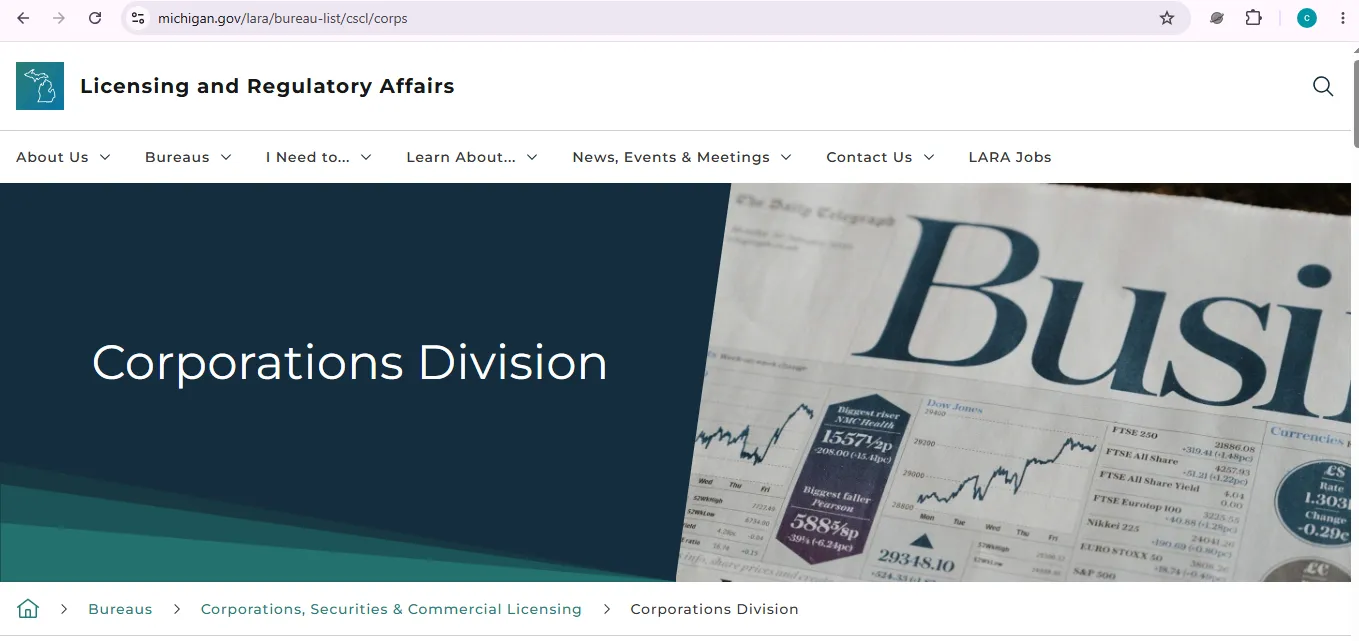
Image description: this user-help visual reference shows the Michigan LARA-linked MiBusiness Registry business entity search screen where users can look up Michigan LLCs, corporations, and filing records. It is not a claim that this website is the official state website.
Search broad first
Start with the strongest unique business words. Remove LLC, Inc, Company, Corporation, punctuation, and extra branding words if the first search fails.
Open the detail record
Do not rely only on the results list. Open the business profile and review entity type, status, filing date, resident agent, registered office, and document history.
Check the filing history
Look for annual statements, assumed name filings, amendments, resident agent changes, restorations, or dissolved/revoked indicators before relying on the business.
Save exact record details
Save the entity name, entity ID or identifying number, status, resident agent, and search date. This prevents ordering the wrong certificate or copy.
Use official follow-up tools
After confirming the record, use MiBusiness Registry for annual statements, certificates, copies, online filings, and updates.
Call or email only when needed
For specific record problems, contact LARA Corporations Division with the exact business name and record details ready.
How to Read a Michigan Business Record Without Guessing
Michigan entity records are useful, but they do not prove every business requirement. Use these fields carefully.
Entity name
Compare exact spelling, suffix, punctuation, and close variations. Similar names may belong to unrelated companies.
Entity ID or record number
Save exact identifying details before ordering copies, requesting certificates, filing statements, or contacting the division.
Entity type
Domestic LLC, foreign LLC, profit corporation, nonprofit corporation, professional corporation, and partnership records have different fees and filings.
Status
Status helps you understand whether the entity appears active, dissolved, withdrawn, not in good standing, restored, or otherwise changed.
Resident agent
The resident agent and registered office are important for official notices and service. Agent changes require the correct official filing.
Filing history
Review amendments, annual statements, assumed names, resident agent changes, and dissolution/restoration filings before relying on the record.
Michigan Resident Agent Details What Users Should Check
Michigan uses the term resident agent. This is similar to “registered agent” language used in many other states.
What to verify
- Resident agent name.
- Registered office address.
- Recent agent or office changes.
- Whether the record is current or dissolved.
- Whether the agent name matches a real person or professional service.
When to file a change
If the resident agent or registered office is outdated, review the official Michigan change filing. LARA’s fee schedule commonly lists resident agent/registered office changes at $5, but confirm the exact entity type before filing.
Official filing feesMichigan Name and Assumed Name Tips Before Filing
Search existing records first, then check whether you need a name reservation, assumed name certificate, renewal, or entity formation filing.
Good screening method
- Search the exact proposed legal name.
- Search the strongest unique words only.
- Search without LLC, Inc, Co, Company, Corporation, punctuation, and “The.”
- Check assumed name records if the public-facing name differs from the legal name.
- Review the fee schedule for your exact entity type before filing.
Do not rely on these alone
- Domain name availability.
- Social media username availability.
- Google search results.
- A local business license listing.
- A third-party entity search site.
Michigan Annual Reports and Annual Statements Online Filing Rule
LARA states that annual reports and annual statements must now be submitted online. Do not mail paper annual filings unless LARA later changes instructions for your exact case.
File online
Use MiBusiness Registry or Michigan.gov/corpfileonline to file annual reports and statements through the official online system.
File onlineCheck status first
Search the business entity record before filing, especially if you are unsure whether the entity is active, dissolved, or behind on filings.
Check statusAvoid duplicate filings
If you already submitted an annual statement, verify the record before paying again or responding to any official-looking mailing.
Certificates, Copies and Verification After You Find the Record
Search results are good for quick checking. Certificates and copies are used when someone needs official documentation or proof.
Certificates
Use LARA/MiBusiness Registry when a bank, lender, vendor, state agency, or contract asks for good standing or official existence proof.
MiBusiness RegistryCopies
Use official certificate and copy tools after confirming the exact entity. Save downloaded files immediately after purchase or request.
LARA hubCertificate verification
Use certificate verification when someone gives you a Michigan certificate and you need to confirm it through LARA-linked tools.
Verification linkMichigan Business Entity Fees Common Costs Users Ask About
Entity search is free. Filings, name reservations, assumed names, resident agent changes, articles, and expedited service can have fees.
| Service or filing | Listed fee / note | Best for | Action / Note |
|---|---|---|---|
| Business Entity Search | Free lookup | Finding Michigan LLCs, corporations, filing history, resident agent details, and status clues. | Search entity |
| MiBusiness Registry Portal | Official portal | Online filings, searches, certificates, copies, and annual statements. | Open portal |
| Domestic LLC Articles of Organization | $50 | Creating a Michigan LLC. | Confirm exact entity type before filing. |
| Domestic profit corporation Articles of Incorporation | $10 plus authorized-share fees | Creating a Michigan profit corporation. | Authorized-share fees increase by share range. |
| Corporation name reservation | $10 | Reserving a corporation name before filing. | Fee varies by entity type. |
| LLC name reservation | $25 | Reserving an LLC name before filing. | Check the current fee schedule before paying. |
| Corporation assumed name | $10 | Using a business name different from the legal corporation name. | Renewal and termination may also have fees. |
| LLC assumed name | $25 | Using an assumed name for an LLC. | Check the exact domestic/foreign LLC row. |
| Registered office / resident agent change | Often $5 | Updating resident agent or registered office information. | Confirm by entity type before filing. |
| Expedited service | From $50 to $1,000 depending on speed | Rush processing for certain documents. | Expedited fee is in addition to the filing fee. |
Michigan LARA Scam Safety Before You Pay Any Mailing
Michigan business owners often receive official-looking mailings. Do not pay a third-party notice until you verify the filing need through LARA.
Verify official channel
LARA warns users to verify communications through official Michigan.gov/LARA channels and avoid sharing sensitive information through suspicious messages.
Check entity status
Search your entity record first. Confirm whether an annual statement, report, certificate, or filing is actually due.
Call if unsure
Use LARA’s official Corporations Division contact details when a notice looks urgent, confusing, or expensive.
Michigan LARA Corporations Division Phone, Email, Address and Map
Use the exact business name, entity ID, and filing details when contacting the Corporations Division about a specific entity record.
Business services
Email: corpsmail@michigan.gov
Business Services: 517-241-6470
Document Review: 517-241-6470
Street address
Corporations, Securities & Commercial Licensing
1st Floor, 2407 N. Grand River Ave.
Lansing, MI 48906
Mailing address
Corporations, Securities & Commercial Licensing
Corporations Division
PO Box 30054, Lansing, MI 48909
Official Michigan Business Entity Resources Use These After Reading
Use these LARA/Michigan.gov resources for entity lookup, filing, certificates, copies, fees, and contact help.
Business Entity Search
Main official lookup path for Michigan LLCs, corporations, records, and filing history.
Open searchMiBusiness Registry
Official portal for online filings, searches, certificates, copies, and annual statements.
Open portalLARA Corporations Division
Official hub for search tools, forms, fee schedule, general information, holidays, and contact links.
Open hubOnline filing shortcut
Use for online business filings, annual reports, and annual statements.
File onlineFiling fees PDF
Review fees for corporations, LLCs, foreign entities, assumed names, resident agent changes, certificates, and expedited service.
Open feesCertificate verification
Use when you need to verify a Michigan certificate provided by someone else.
Find verificationContact Corporations Division
Use for business services, document review, trademark, mailing, and street address details.
Contact LARAReport suspicious activity
Use official Michigan.gov/LARA guidance when a message, letter, or payment request looks suspicious.
Check LARA alertsMichigan Business Entity Search FAQ
Is Michigan business entity search free?
Yes. Michigan business entity lookup through LARA/MiBusiness Registry is a free public search. Fees apply to filings, certificates, copies, expedited services, and other official transactions.
Where do I search for a Michigan LLC or corporation?
Use Michigan.gov/corpentitysearch or the Business Entity Search link from LARA’s Corporations Division page. The search opens the official MiBusiness Registry search path.
What is MiBusiness Registry?
MiBusiness Registry is Michigan’s business portal for online filings, searches, certificates, copies, annual reports, and annual statements.
Are Michigan annual statements filed online?
Yes. LARA says all annual reports and annual statements must now be submitted online and paper annual reports/statements are no longer accepted.
Can I search Michigan filing history?
Yes. Open the entity record after searching and review filing history, status, resident agent details, and related records shown in the official system.
What is a Michigan resident agent?
A resident agent is the Michigan term commonly used for the person or service designated to receive official notices and service for the entity.
How much does it cost to form a Michigan LLC?
The LARA filing-fee PDF lists Articles of Organization for a domestic LLC at $50. Always confirm the current fee at official checkout before filing.
How much is a Michigan name reservation?
The fee depends on entity type. The filing-fee PDF lists corporation name reservation at $10 and LLC name reservation at $25.
How do I contact Michigan LARA Corporations Division?
Email corpsmail@michigan.gov or call Business Services at 517-241-6470. The street address is 2407 N. Grand River Ave., Lansing, MI 48906.
Does a Michigan business entity record prove a business is licensed or trustworthy?
No. A Michigan entity record mainly shows filing information. For professional licenses, taxes, permits, insurance, or fraud concerns, check the proper agency or adviser.
Final Practical Advice
For most users, the safest Michigan business entity search workflow is: open the official LARA-linked Business Entity Search, search the business name broadly, open the correct record, save exact entity details, check status and resident agent, review filing history, then use MiBusiness Registry for certificates, copies, annual statements, or filings only after confirming the exact entity.
Best path: Michigan.gov/corpentitysearch → open entity record → save exact details → check resident agent and status → review filing history → use MiBusiness Registry for official follow-up actions.
Editorial verification note: official Michigan LARA and MiBusiness Registry resources checked on July 13, 2026. This guide is informational and does not provide legal, tax, licensing, fraud-investigation, or business formation advice.